


Introduction to Application Duplication
The Duplicate Application feature allows administrators to copy an application from one funnel to another. This is a powerful tool for moving founders between programs (e.g., from an "Incubation" track to an "Acceleration" track) or managing re-applications for new cohorts.
Data Transfer Logic:
Full Data Transfer: If the destination funnel uses the exact same form as the original, all data and files move intact.
Conditional Transfer: If the forms differ, data will not carry over automatically. In this case, you must decide whether to request the applicant to fill out the new form manually.
Note on Availability: This feature is reserved for users with Admin or Admin & Coach permissions.
Where to Duplicate an Application
You can duplicate applications using two different methods depending on your needs:
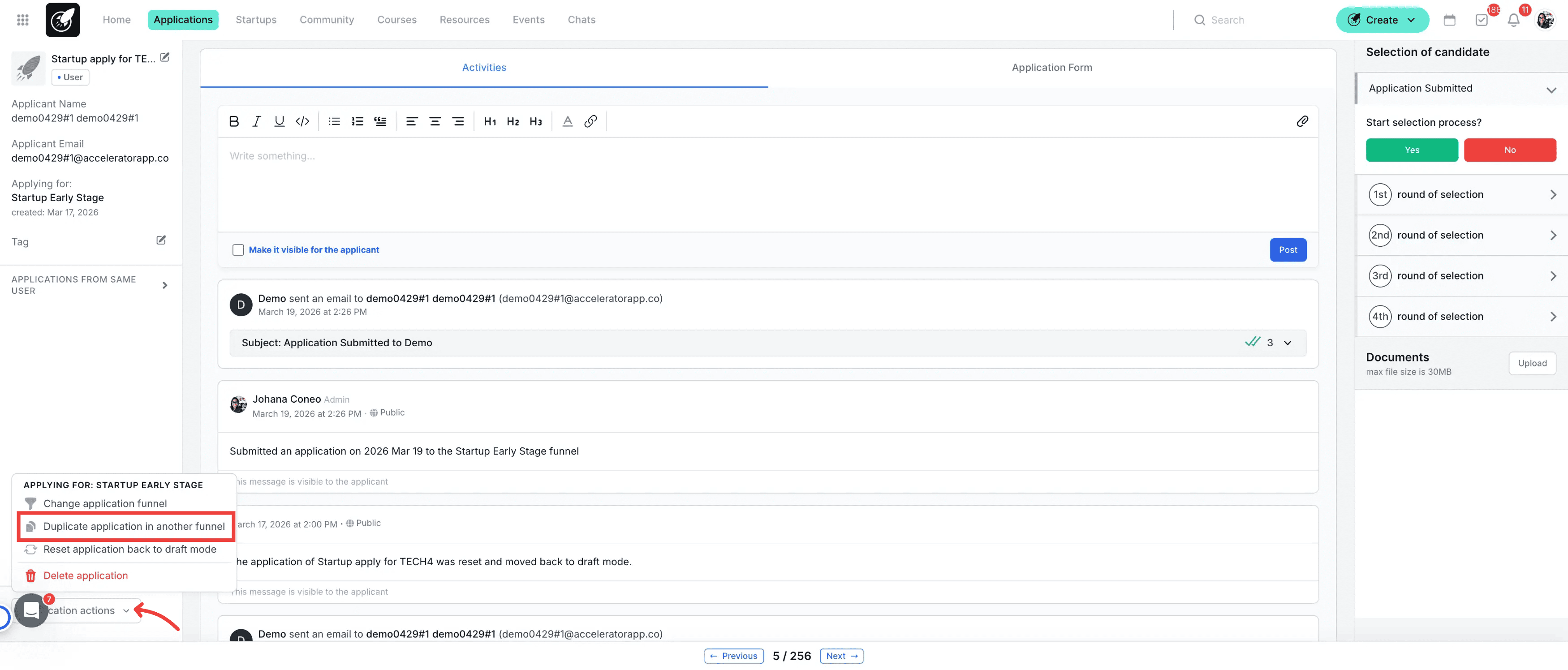
Individual: From the specific Application File.
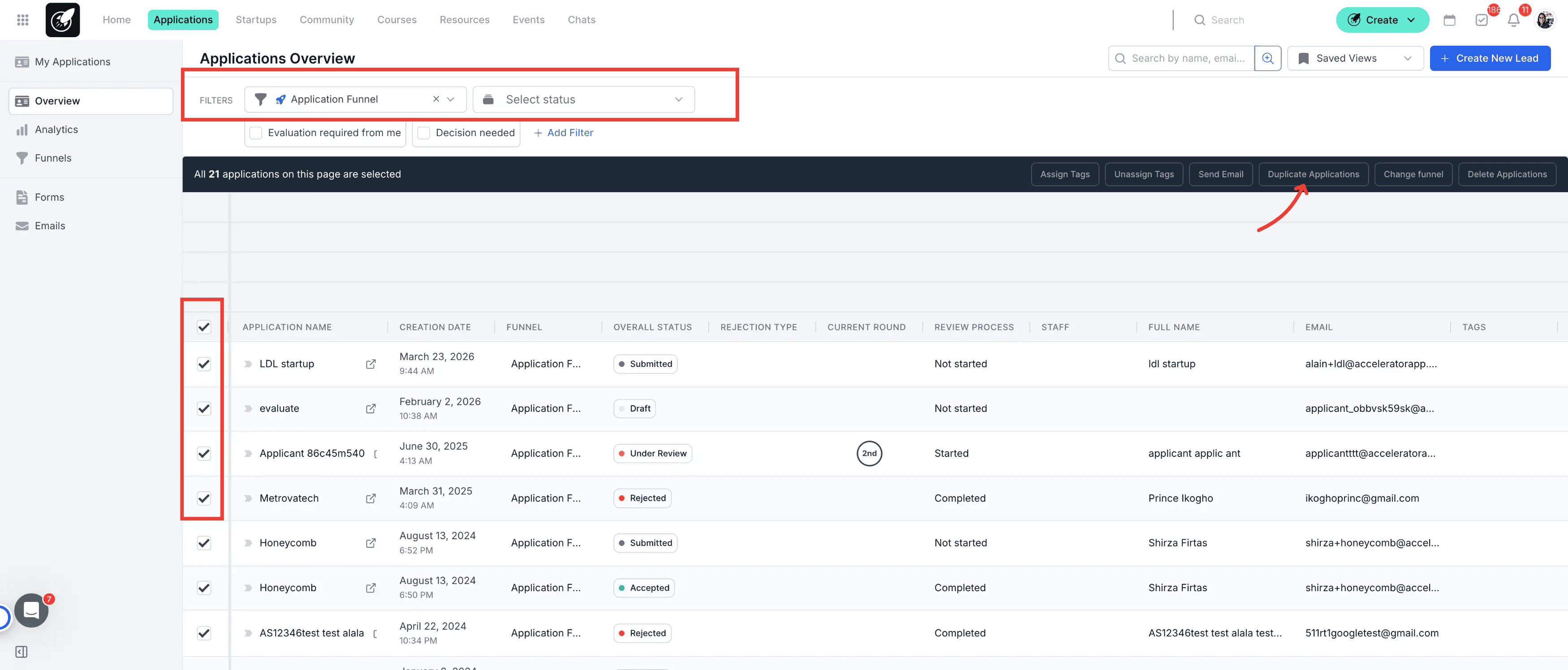
Bulk: From the Application Overview (ideal for moving entire cohorts).
Step-by-Step Actions
- From the Application File: Use this method when you need to move a single startup after a deep-dive review.
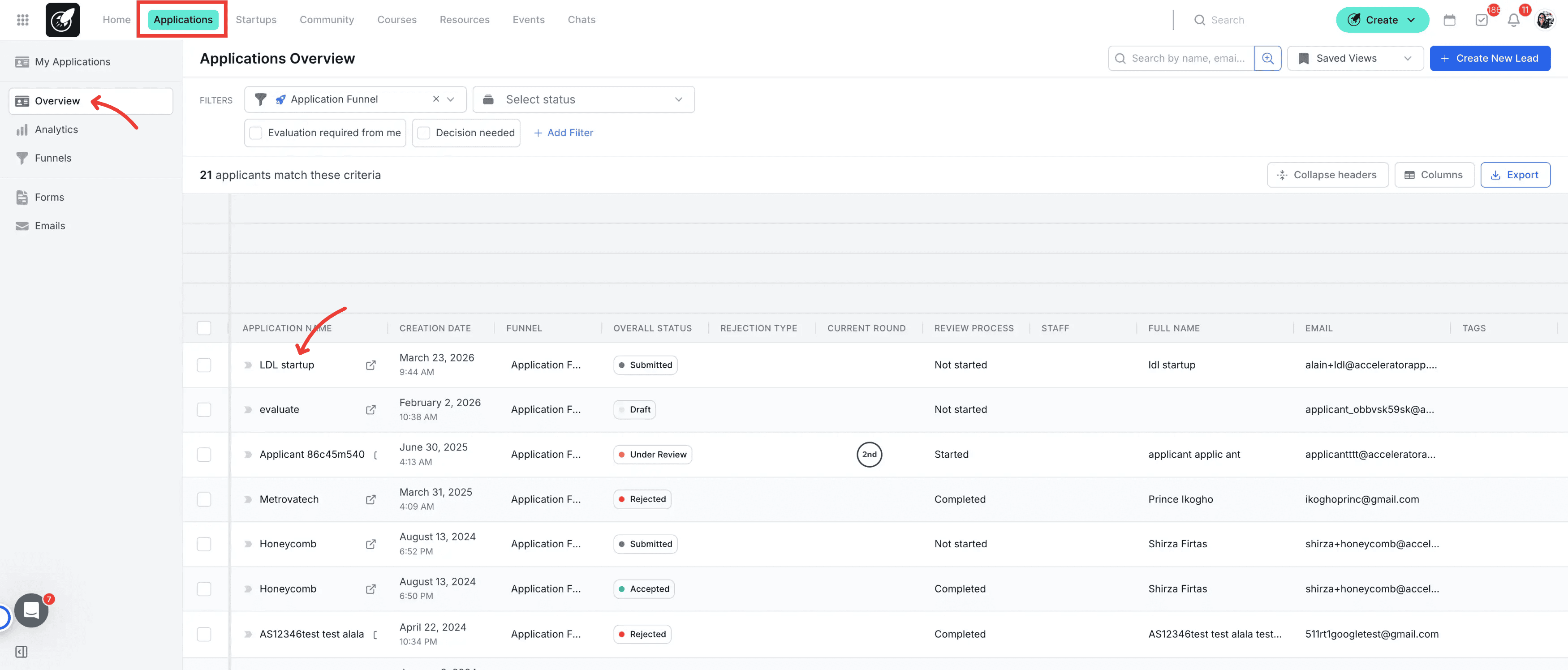
- Open the Application: Navigate to the Application Overview and click on the Application Name.
2.Access Actions: Once the file is open, locate and click the button labeled "Application Actions" in the header.
3.Select Duplicate: From the dropdown menu, select "Duplicate to Funnel."
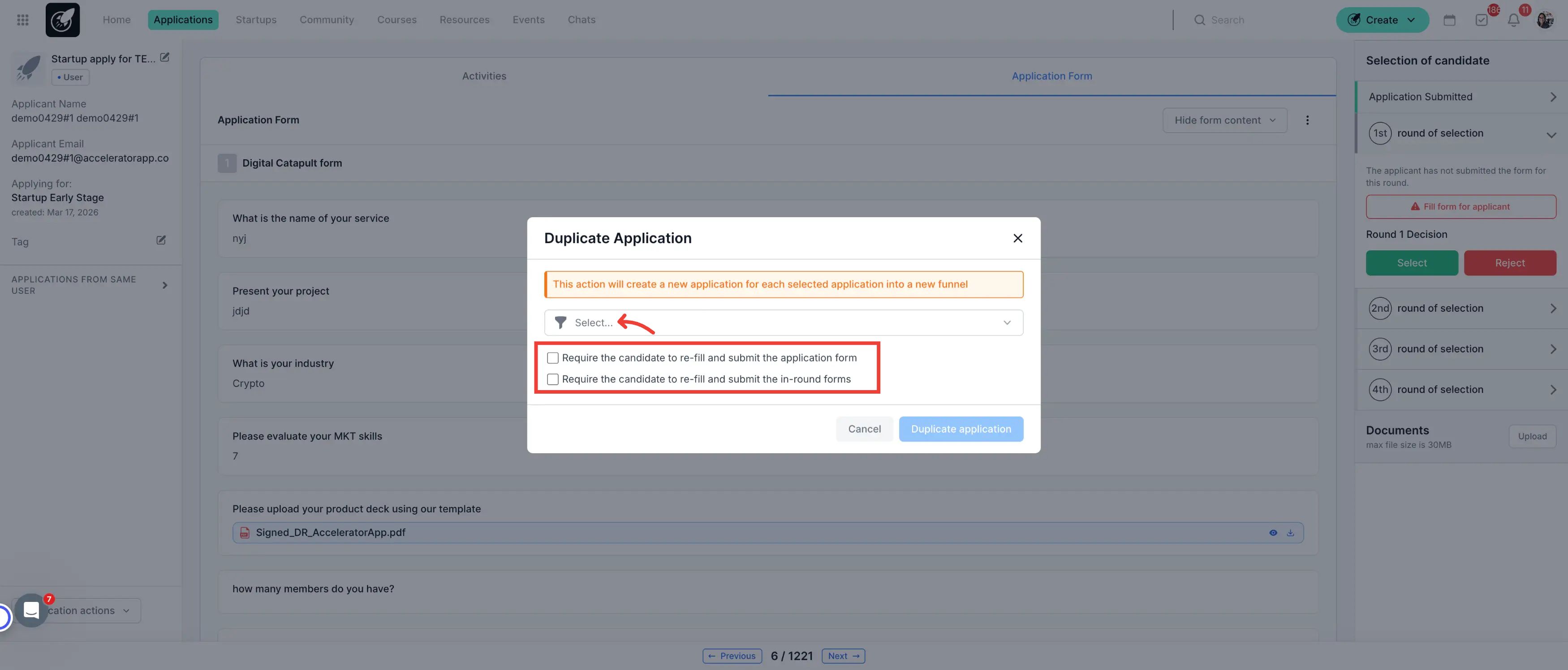
4.Choose Destination: A modal will appear where you must select:
The Target Funnel from the dropdown list.
Decide on Data: Choose whether you want to request the applicants to fill out the application forms in the new funnel or if you want to use the data already provided.
Reminder: Data transfer only works if both funnels use the same form.
5.Confirm: Click "Duplicate." The system creates a new entry in the target funnel while keeping the original one intact.
- From the Application Overview (Bulk Action): Use this method to move multiple startups at once (e.g., all startups that passed the "Selection" stage).
Filter your View: Open the Application Overview and apply the funnel filter to find the specific group you want to move.
Select Applications: Select the applications you wish to duplicate by clicking the checkboxes on the left side of the list.
Initiate Bulk Action: Select the bulk action titled "Duplicate Application."
4.Choose Destination: A modal will appear where you must select:
The Target Funnel from the dropdown list.
Decide on Data: Choose to request a new form submission or use existing data.
Reminder: Data transfer only works if both funnels use the same form.
5.Confirm: Click "Duplicate." The system will create the new entries in the target funnel.
Best Practices
The "Same Form" Rule: To ensure a 100% seamless transition for your applicants, use the same "Application Form" template for all funnels within the same program cycle.
Audit the New Funnel: After a bulk duplication, always visit the target funnel to ensure all applicants landed in the correct stage.